Motion language
The purpose of motion language is to improve interaction with users by providing clear guidance and enriching the experience with expressiveness.
Guiding
Guiding motion helps direct the user in the desired direction. Its purpose is to guide the user, acting as a secondary UI element.
Direction and sequence of motion
Guiding motion defines the order in which elements are presented and the direction of movement, helping the user proceed along their chosen path. Guiding motion uses movement along the X, Y, and Z axes to create clear and intuitive navigation between pieces of content.
Axes
Movement on the X and Y axes indicates direction within the same page or content group.
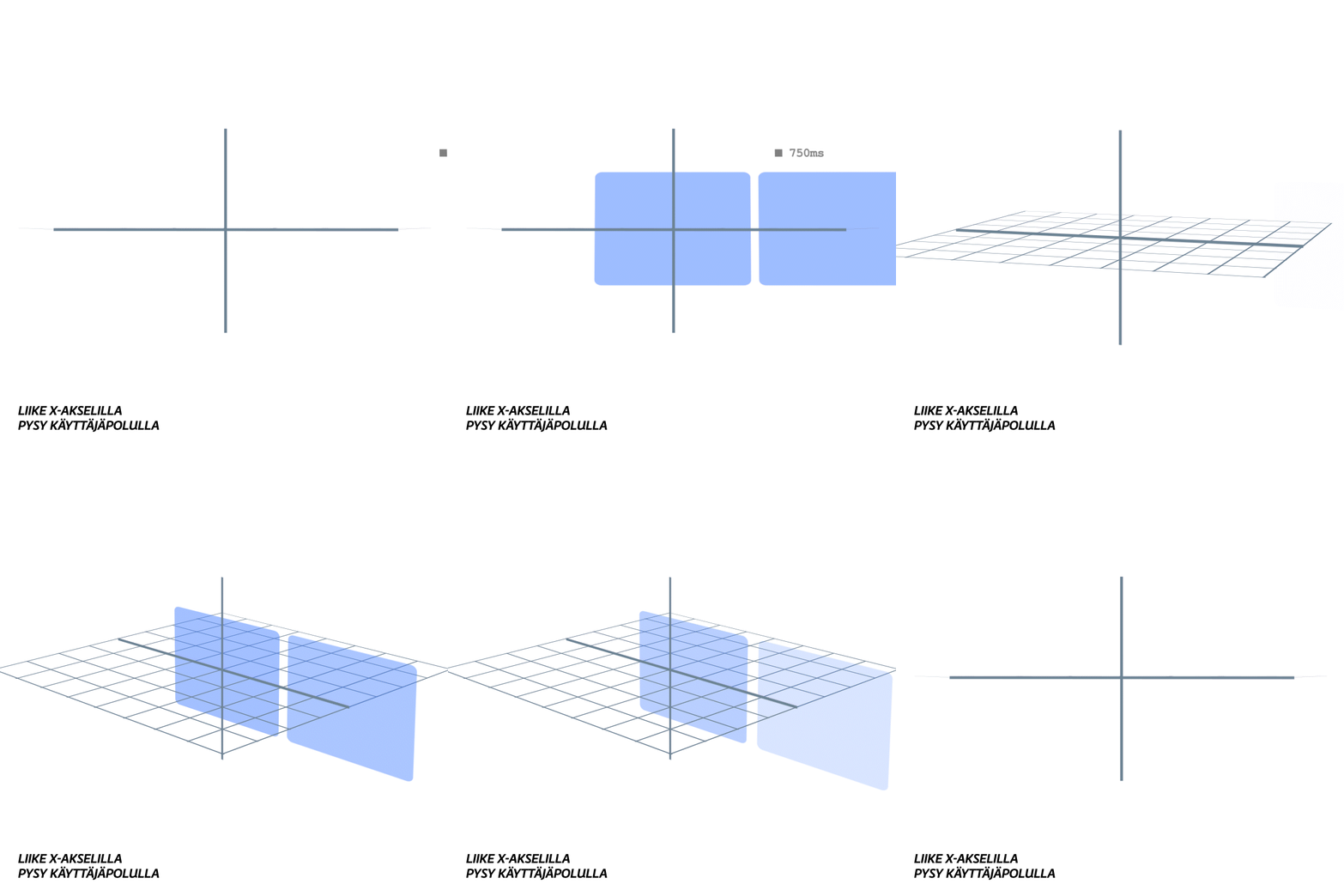
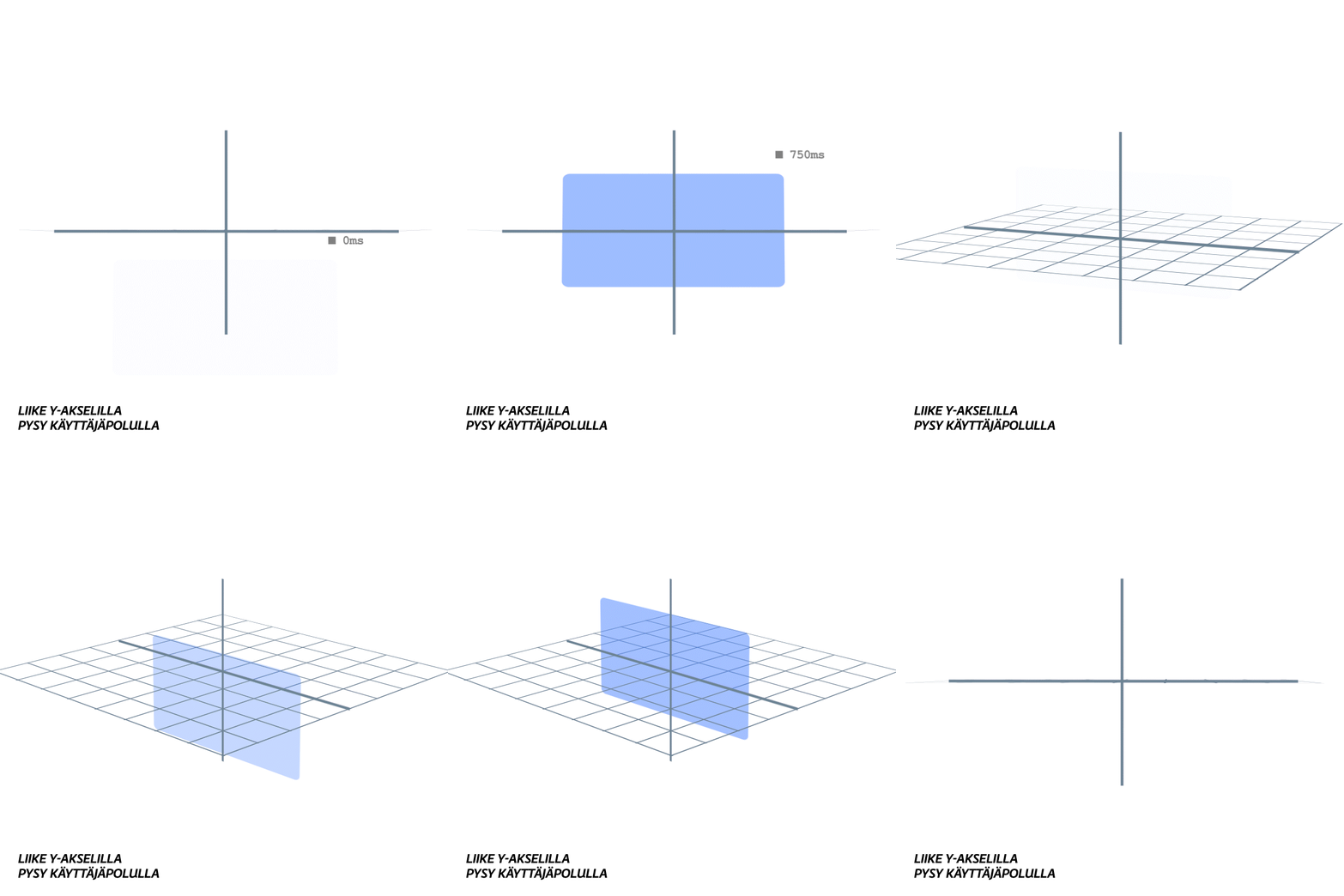
X- and Y-axis motion helps the user stay in the same context, such as browsing content within a specific topic area or exploring similar elements within the same view.
Z-axis motion clearly guides the user to another page or a separate content group.
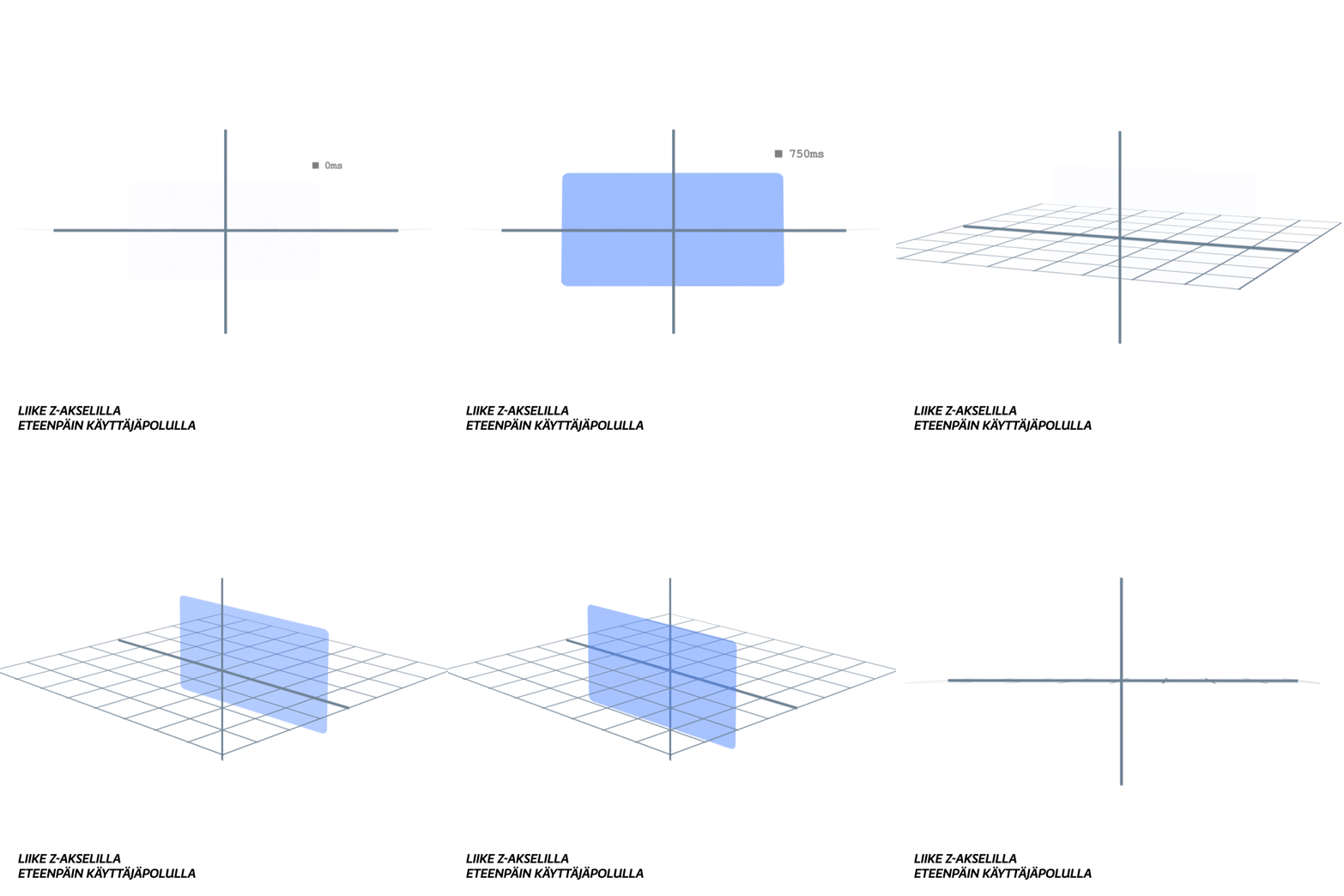
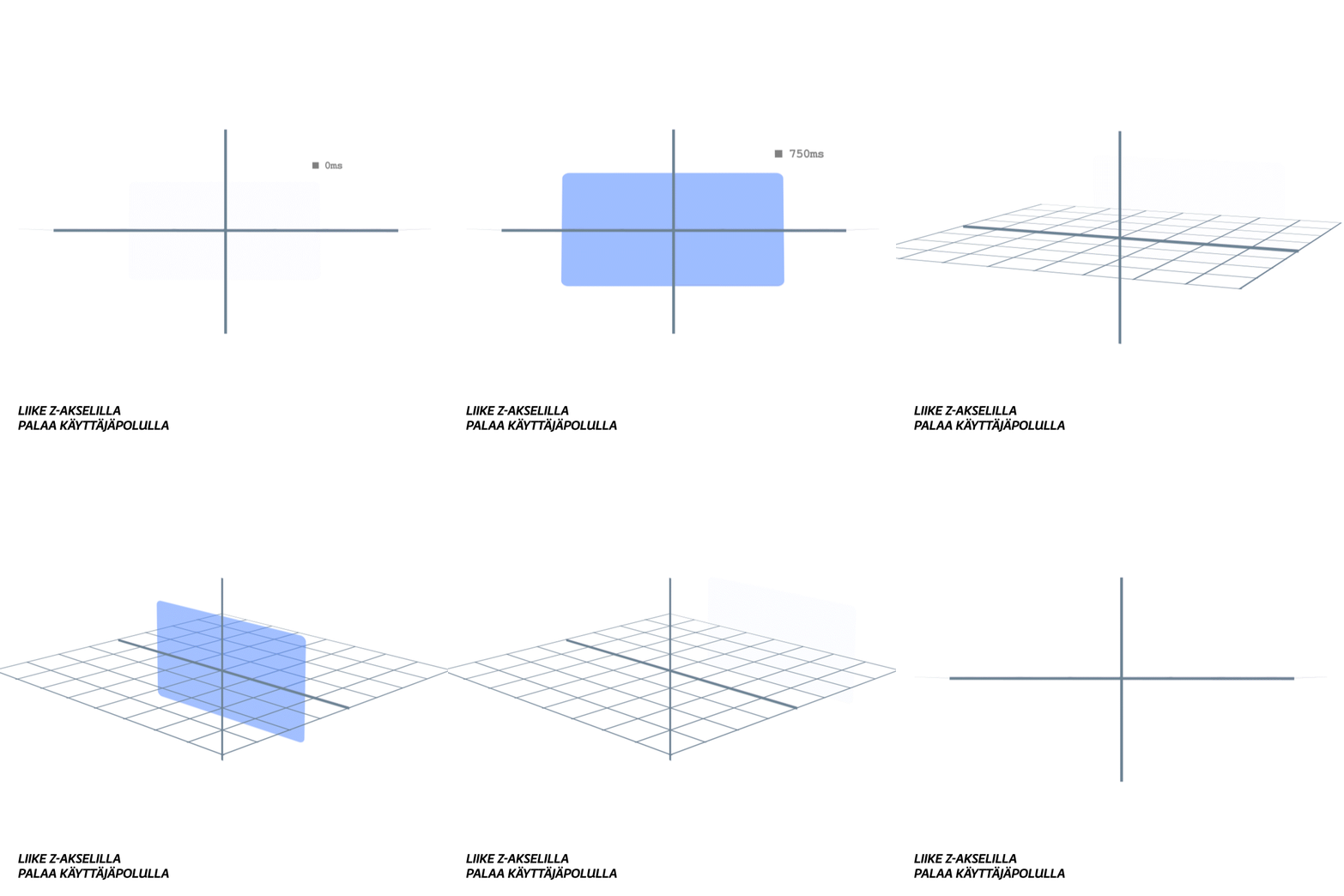
Z-axis motion takes the user, for example, from the homepage to an individual content page, from a content page to playback mode and back. This motion is suitable for situations where you want to emphasize a transition to an entirely new context or deeper into the content hierarchy.
Expressive
Expressive motion complements guiding motion by adding depth and naturalness and by creating emotional connections that enrich the brand experience. It helps make the experience memorable and pleasant.
User journey stages and expressiveness
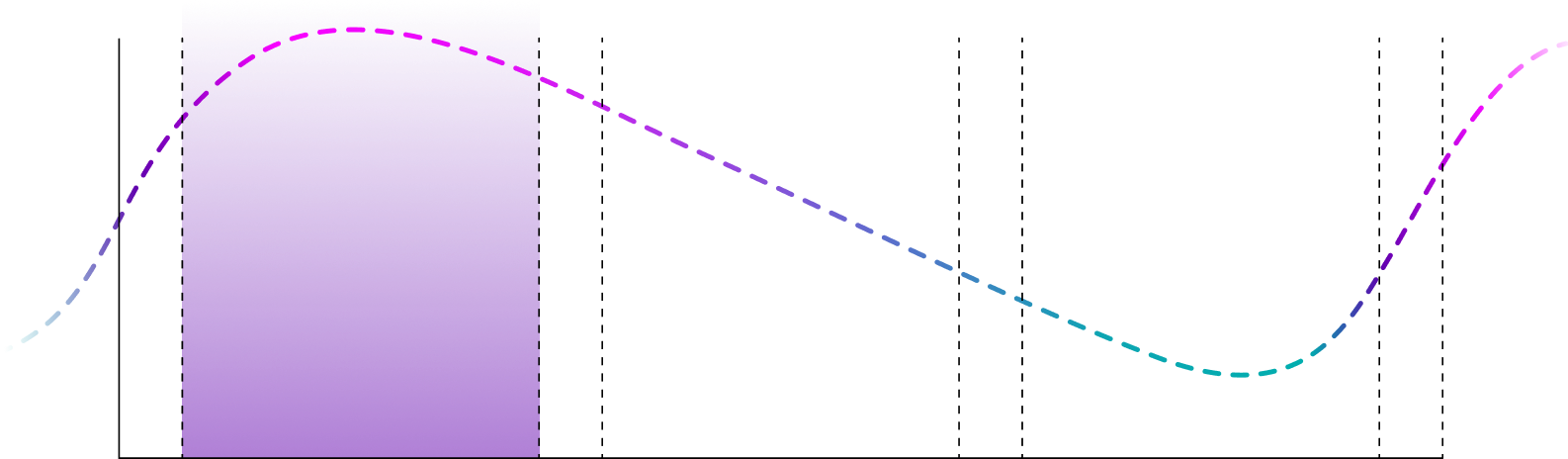
Interest
At the beginning of the user journey, expressive motion focuses on presenting content and capturing the user’s attention. The motion is soft and considered, creating a strong first impression that encourages the user to explore the service further.
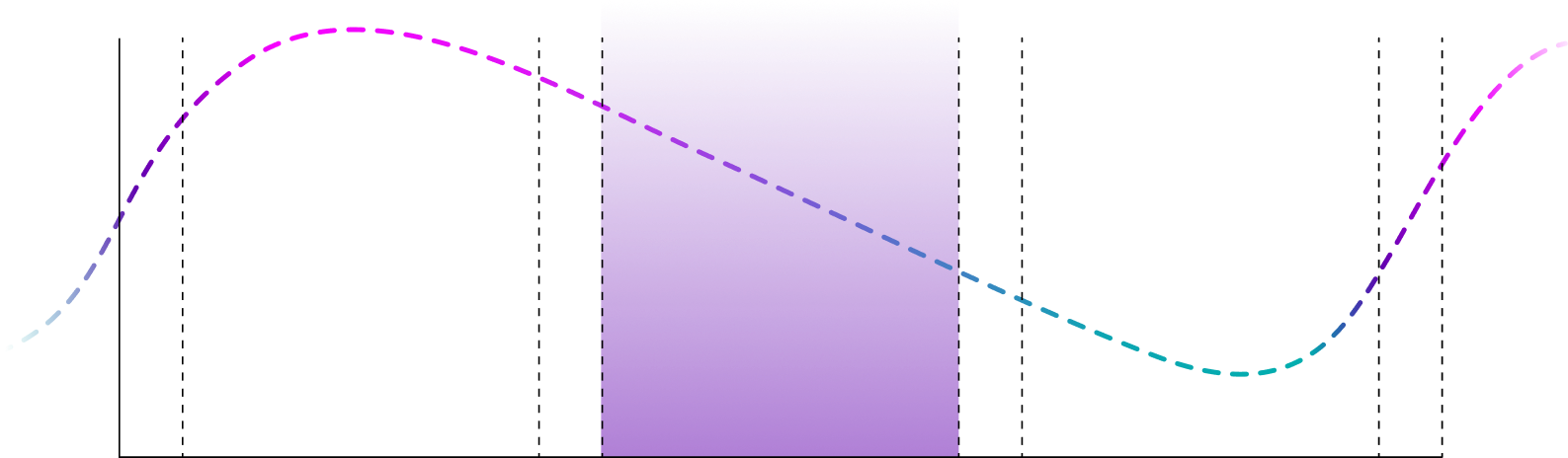
Engagement
As the user journey progresses, expressive motion decreases and becomes more subtle, focusing on supporting the user’s actions without unnecessary interruptions. The motion maintains the service’s consistency and makes the user experience harmonious and pleasant.
Decision
As the user approaches the decision stage, expressive motion becomes even more subtle, providing clarity and naturalness in interactions.
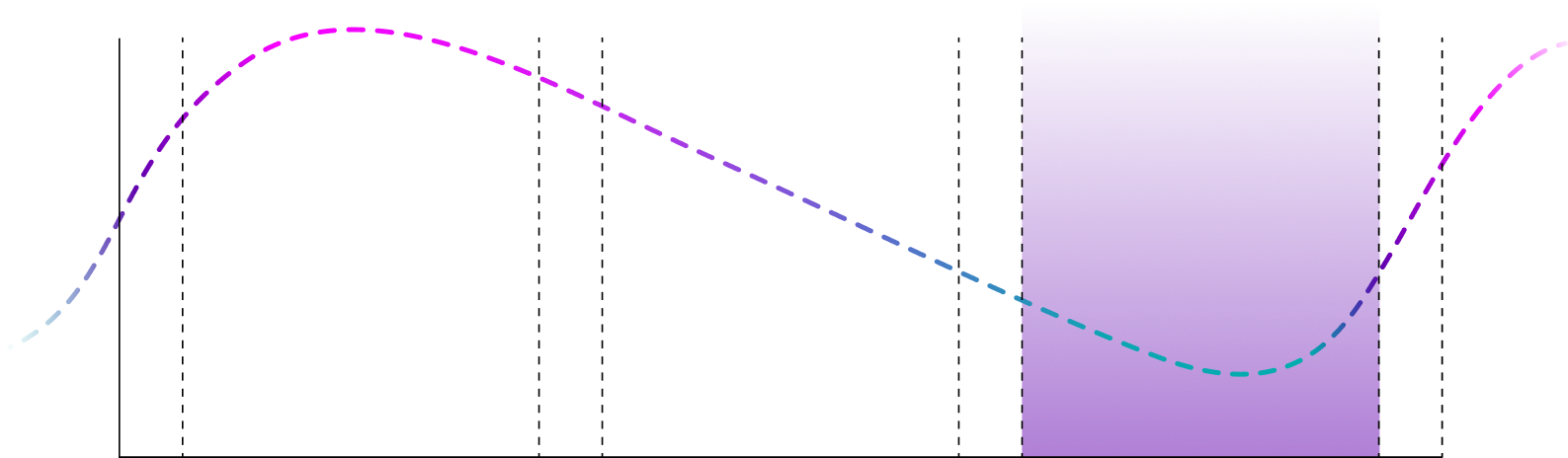
When the user experience ends, expressive motion returns to supporting the presentation of the next content and encourages the user to continue the experience.
Transition tokens
Transition tokens define standardized animation values for the design system. They provide a shared language for motion, ensuring consistency and predictability across digital services.
Easing
Easing controls how motion accelerates and decelerates, affecting the rhythm and feel of transitions. Different curves—decelerate, accelerate, bounce—support different goals such as guiding attention, emphasizing feedback, or creating expressive moments.
Duration
Duration defines how long an animation takes. Consistent values create clear hierarchy and pacing, from short micro-interactions to longer full-screen transitions. Use duration to make motion feel smooth and appropriate for each context.
Delay
Delay defines when an animation starts relative to a user action or another animation. Use it for rhythm and sequencing when multiple elements appear in order. Apply sparingly—delays can reduce responsiveness, so use only when they clearly improve clarity or visual continuity.
Motion types
- Real-time: Animations that happen in direct, immediate interaction with the user.
- Delayed: Animations that occur after the user’s action and may include delays.
- Autonomous: Animations that do not require direct user action.
Motion properties
Time and speed
- Easing (smoothness of motion): Controls acceleration and deceleration.
- Duration: Defines how long the motion lasts.
- Delay: Defines when the motion starts.
Position and movement
- Move: Defines an element’s movement on the X, Y, and Z axes.
- Anchor point: Defines the point around which motion such as rotation and scaling occurs.
- Rotation: An element’s rotation around a defined axis and anchor point.
- Path: Defines the route an element follows during motion.
Visual appearance
- Opacity: Changes an element’s visibility.
- Morph: Changes an element’s shape between states.
- Scale: Changes an element’s size.
- Color: Changes an element’s color.
- Blur: Softens an element, making it less sharp.
Motion patterns
Motion patterns define reusable animation solutions for different interaction contexts. They help ensure consistency, usability, and clarity across services by guiding how motion supports feedback, navigation, and user understanding. Motion patterns connect the motion language, design tokens, and interaction principles into practical and scalable implementations.
Micro-interactions
A micro-interaction is a small, tightly scoped interaction detail that happens within a single UI element or action. It typically responds to just one user action, such as pressing a button.
Principles
- Clarity and simplicity: Micro-interactions support UI logic without unnecessary complexity. Even a small motion is enough to communicate meaning.
- Consistency: Keep micro-interactions consistent with the service’s motion language and other UI parts so users can predict interactions.
- Fast and smooth motion: Micro-interactions are short and fluid. Feedback duration is typically 70–250 ms, and guiding micro-interactions 250–450 ms.
- Surprise and delight: Add joy through small, thoughtful details that make the experience more pleasant without distracting from use.
Goal
Micro-interactions improve the user experience by providing feedback, guiding attention, and bringing quality and delight to the service. When well designed, they make the UI intuitive and memorable without disrupting the user’s focus.
Examples of microinteractions
Buttons
Button motion focuses on clear feedback and confirming the user’s action. Each state (hover, down, release) communicates the button state and action feedback. Subtle scaling and text movement create a sense of physicality, making interactions feel natural and understandable. In loading states, motion continuity connects different phases and reinforces progress. Clear focus movement between buttons supports navigation.
Toggle switch
Motion clearly communicates the change of state. A visual and dynamic transition reinforces that the state has changed. Clear color and movement improve visual differentiation and accessibility.
Loading indicator
Continuous motion creates a sense of progress and keeps the user’s attention during waiting states. A clear and familiar animation ensures the user understands that the system is active.
Tab indicator
Smooth motion under the selected tab guides attention and reinforces the active state. Simple and precise movement improves clarity and navigation.
Interactions
Interactions cover broader user–UI flows and often include multiple steps and micro-interactions. Well-designed interactions make even complex processes clear and user-friendly.
Key principles
- Clarity and logic: The user should easily understand the process steps and next actions.
- Guidance and feedback: Provide direction and reinforce actions with feedback.
- Fast and intuitive motion: Motion should be simple and focus on what matters.
- Multi-step processes: Each step should be highlighted clearly and logically through motion.
Goal
The goal of interactions is to connect elements into a seamless experience that is intuitive, smooth, and aligned with the service’s motion language. A well-designed interaction makes the service pleasant to use in all situations.
Examples of interactions
Modal dialog
Modal motion emphasizes importance and hierarchy. Background content scales and dims to create depth and indicate that the user remains in the same context. Soft scaling and fading guide attention to the modal while maintaining a visual connection to the background.
ADD MORE EXAMPLES HERE
Transitions
Transitions are motion and animation patterns that help users move between states, views, or hierarchy levels. They provide spatial and visual continuity and support understanding of structure and navigation.
Use of axes
- Z axis: Used when moving to a new content group or to a hierarchically higher or lower level. This creates depth and a clear separation between content.
- X and Y axes: Used within the same content group or between content on the same hierarchy level.
Transitions should primarily use one axis at a time to keep motion clear and easy to follow.
Key principles
- Clarity and hierarchy: Motion direction and spatiality should communicate how views relate to each other.
- Consistency: The same axis and direction should always represent the same logic.
- Guiding focus: Primary content moves first, and secondary elements follow.
- Visual continuity: Motion should connect old and new views through position, scale, or shape.
- Forward and backward rhythm: Forward transitions are slower, backward transitions faster to support hierarchy and efficient navigation.
Example speeds:
Forward 750 ms → Back 450 ms
Forward 450 ms → Back 250 ms
Forward 250 ms → Back 150 ms
Examples of transitions
Content transitions
Elements visually transform while preserving continuity. Smooth motion emphasizes relationships between content and reinforces structure. Z-axis movement supports spatial understanding.
Forward and backward navigation
Used within the same hierarchy level. Motion should be clear, smooth, and consistent. X-axis movement reinforces continuity and spatial logic.
Top-level navigation
Transitions between main sections should be clear and consistent. Content should load through an empty state, avoiding crossfades. Direction should follow platform navigation patterns.
Loading transitions
Loading indicators communicate progress and prevent layout shifts.
- Skeleton loader: Motion reflects content structure and hierarchy. Movement progresses top-to-bottom and left-to-right. It should remain smooth, subtle, and simple.
- Spinner: Provides reassurance that the system is active and working.
Applying transitions
- Consistency: All transitions should follow the same logic throughout the UI.
- Stable layouts: Use loading indicators (e.g., skeleton loader) to avoid layout shifts or jumps.
- No abrupt transitions (jump cuts): Transitions should be seamless and natural.
- Logical state model: Element motion should tell the user what state they are in, where they came from, and where they are going.
- Unified direction: Motion direction must be consistent and support UI navigation.
- Clear fades: Ensure elements disappear or appear clearly without disturbances. Elements should not be visible on top of each other (cross-fade).
- Simple style: Motion should be simple and intuitive, without unnecessary emphasis.
Naming convention
Token naming in the Yle Design System (YDS) follows a clear and structured pattern to ensure consistency, clarity, and reuse across all digital services. The goal is to create names that are easy to understand for both designers and developers. Each token is unique and identifiable, communicates its purpose and context, follows a consistent hierarchy and structure, and avoids conflicts with commonly used terminology and code libraries.